
Teach your AI all about ConfigUX.
Add the verified ConfigUX guide to the AI you already use and turn it into your ConfigUX mentor. Then design your configurator with ConfigUX Studio.
Download. Upload. Design. Review.
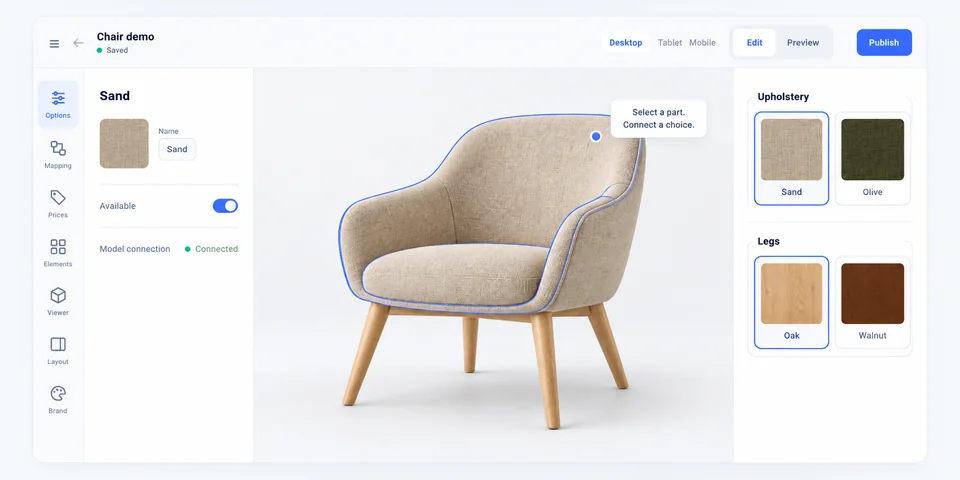
See it. Try it. Build your own.
Start with one configurator, then follow the guide for the next thing you need.
Get your guide and upload it to your AI.
Get the current ConfigUX guide for your AI. It covers product choices, 2D and 3D assets, pricing, leads and website installation. Complete the form to download version 2.3.
You stay in control and review every suggestion before it is used.
Set it up once. Use it across every sales flow.
Build one structured product model and use it throughout the commercial journey – from guided buying to documents, sales teams and integrations.
 01
01One clear product model
Structure products, options and constraints in one source of truth.
 02
02Webshop and cart
Guide buyers through choices, pricing and the next commerce step.
 03
03Leads, quotes and PDFs
Carry selected product details into commercial handoffs and documents.
 04
04Sales and integrations
Connect the configured result to teams, systems and integration routes.
 Options
 Rules
Rules Pricing logic
 Reusable structures