
See how buyers use your configurator.
See activity. Follow enquiries. Review sales.
Analytics
?
Try all three views. These invented figures explain the current reporting layout and never access an account.
?
Amounts use one original currency. Different currencies are not converted or added together. Activity counts use the period and Configurator filters independently.
Player opens
1,500?
Measured Player opening events. Repeat opens count again; this is not a count of unique visitors.
Quote requests
60?
Accepted quote requests in the selected period. A returning lead can send another request, so this can exceed new leads.
New leads
39?
New lead records created in the selected period. Test leads and leads in the trash are excluded.
Revenue
EUR 6,840Net shop revenue?
Confirmed shop revenue after discounts and allocated refunds, excluding tax and shipping. Sales follow payment dates; refunds follow refund dates. Manual lead sales stay separate.
Quote requests
Daily counts
| Date · UTC | Value |
|---|
Recorded lead sales: 9Recorded lead revenue: EUR 4,620
?
Sales explicitly recorded in Leads. A quote amount or Won status alone is not a sale. Manual records are separate from shop purchases.
Configurators
?
Compare the same period. Quote requests and new leads count different things; cart handoffs do not confirm purchases.
| Configurator | Player opens | Quote requests | New leads | Cart handoffs |
|---|---|---|---|---|
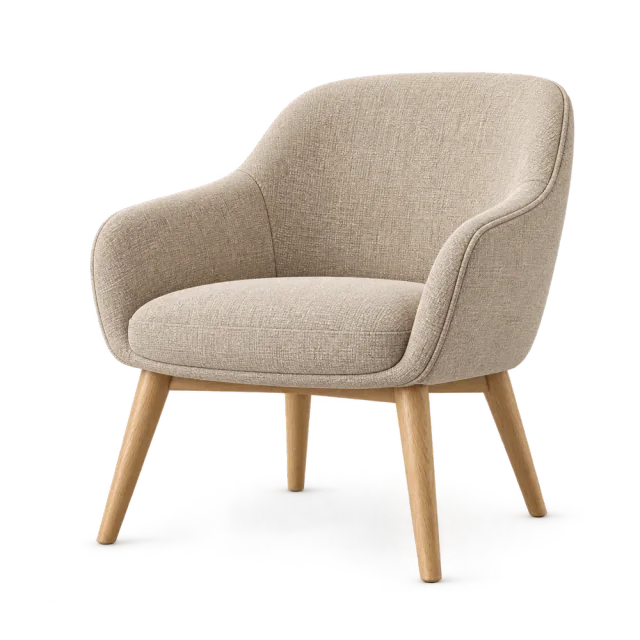 Lounge chair Lounge chair | 780 | 30 | 20 | 28 |
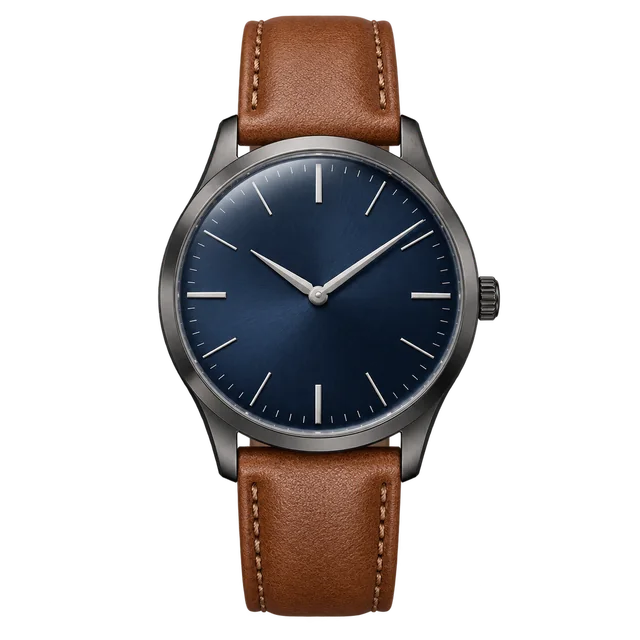 Everyday watch Everyday watch | 460 | 18 | 11 | 16 |
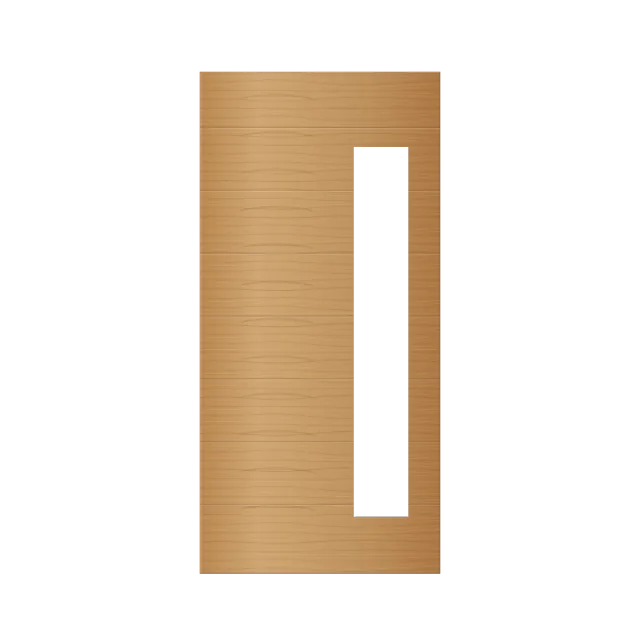 Oak door Oak door | 260 | 12 | 8 | 0 |
Configurators
?
Compare the same period. Quote requests and new leads count different things; cart handoffs do not confirm purchases.
| Configurator | Player opens | Quote requests | New leads | Cart handoffs |
|---|---|---|---|---|
| Lounge chair | 780 | 30 | 20 | 28 |
| Everyday watch | 460 | 18 | 11 | 16 |
| Oak door | 260 | 12 | 8 | 0 |
Shop purchases
21?
Distinct paid shop orders containing ConfigUX lines. An order may appear in more than one Configurator row; do not add row counts together.
Net shop revenue
EUR 6,840Verified shop reports?
Confirmed shop revenue after discounts and allocated refunds, excluding tax and shipping. Sales follow payment dates; refunds follow refund dates. Manual lead sales stay separate.
Recorded lead sales
9Manual records · separate source?
Sales explicitly recorded in Leads. A quote amount or Won status alone is not a sale. Manual records are separate from shop purchases.
Recorded lead revenue
EUR 4,620Manual records · separate source?
Explicitly recorded lead-sale amounts after discount, excluding tax and shipping. Separate from shop revenue. Review one original currency at a time.
Net shop revenue
Daily results
| Date · UTC | Value |
|---|
Sales by Configurator
?
Distinct paid shop orders containing ConfigUX lines. An order may appear in more than one Configurator row; do not add row counts together.
| Configurator | Shop purchases | Net shop revenue | Refunds | Lead sales | Lead revenue |
|---|---|---|---|---|---|
| Lounge chair | 12 | EUR 5,520 | EUR 240 | 4 | EUR 1,920 |
| Everyday watch | 9 | EUR 1,320 | EUR 30 | 2 | EUR 300 |
| Oak door | 0 | EUR 0 | EUR 0 | 3 | EUR 2,400 |
01
See what each number means.
An opening, a request and a new lead are different events.
?
Player opens include repeat openings. Quote requests are accepted submissions. New leads exclude test leads and leads in the trash. A cart handoff is a measured event; check the connected shop to confirm a cart or paid order.
Player opens
1,500Your Player was opened.?
Measured Player opening events. Repeat opens count again; this is not a count of unique visitors.
Quote requests
60Accepted requests for a quote.?
Accepted quote requests in the selected period. A returning lead can send another request, so this can exceed new leads.
New leads
39New lead records created.?
New lead records created in the selected period. Test leads and leads in the trash are excluded.
Cart handoffs
44A configuration was handed to the shop.?
Measured Player cart-handoff events. This does not confirm that the shop saved the cart, and it is not a purchase.
One lead can send more than one request.
02
Compare your configurators.
See activity beside each product.
?
Use Configurators above to search and sort. Choose the same period for a fair comparison. The photographs and names here are neutral examples. Cart handoffs belong to the activity report; they are not purchases.
Configurators
?
Compare the same period. Quote requests and new leads count different things; cart handoffs do not confirm purchases.
| Configurator | Player opens | Quote requests | New leads | Cart handoffs |
|---|---|---|---|---|
| Lounge chair | 780 | 30 | 20 | 28 |
| Everyday watch | 460 | 18 | 11 | 16 |
| Oak door | 260 | 12 | 8 | 0 |
03
Keep the sales sources clear.
Review shop reports and recorded lead sales separately.
?
Sales shows Shop purchases, Net shop revenue, Recorded lead sales and Recorded lead revenue. Shop amounts need confirmed reporting. A lead marked Won does not automatically count as sold. Review the original currency. Use Download CSV in your account for the selected report; this page downloads illustrative figures only.
SHOP REPORTS
Confirmed shop sales.
EUR 6,840Net shop revenue?
Confirmed shop revenue after discounts and allocated refunds, excluding tax and shipping. Sales follow payment dates; refunds follow refund dates. Manual lead sales stay separate.
RECORDED IN LEADS
Recorded lead sales.
EUR 4,620Manual records · separate source?
Explicitly recorded lead-sale amounts after discount, excluding tax and shipping. Separate from shop revenue. Review one original currency at a time.
— means unavailable.Missing shop amounts are not shown as zero.
YOUR NEXT STEP
Open Analytics Try it in your workspace.
Use the guide beside your own configurator.